

Before you start
- The ZeroDrift plugin is installed and you are signed in. See ChatGPT and Codex Plugin for setup.
- A mailbox connector, such as Gmail, is connected to the assistant. ZeroDrift does not provide this. The assistant reads the email and ZeroDrift validates the text.
Prompt
Prompt used in ChatGPT, with a Gmail connection:What you see
ChatGPT retrieved the five most recent Gmail messages and ran one check per email. It reported 5 checked, 5 passed, 0 flagged or warned. Each check returned “ZeroDrift: Passed — no issues found”, with its own ZeroDrift job ID.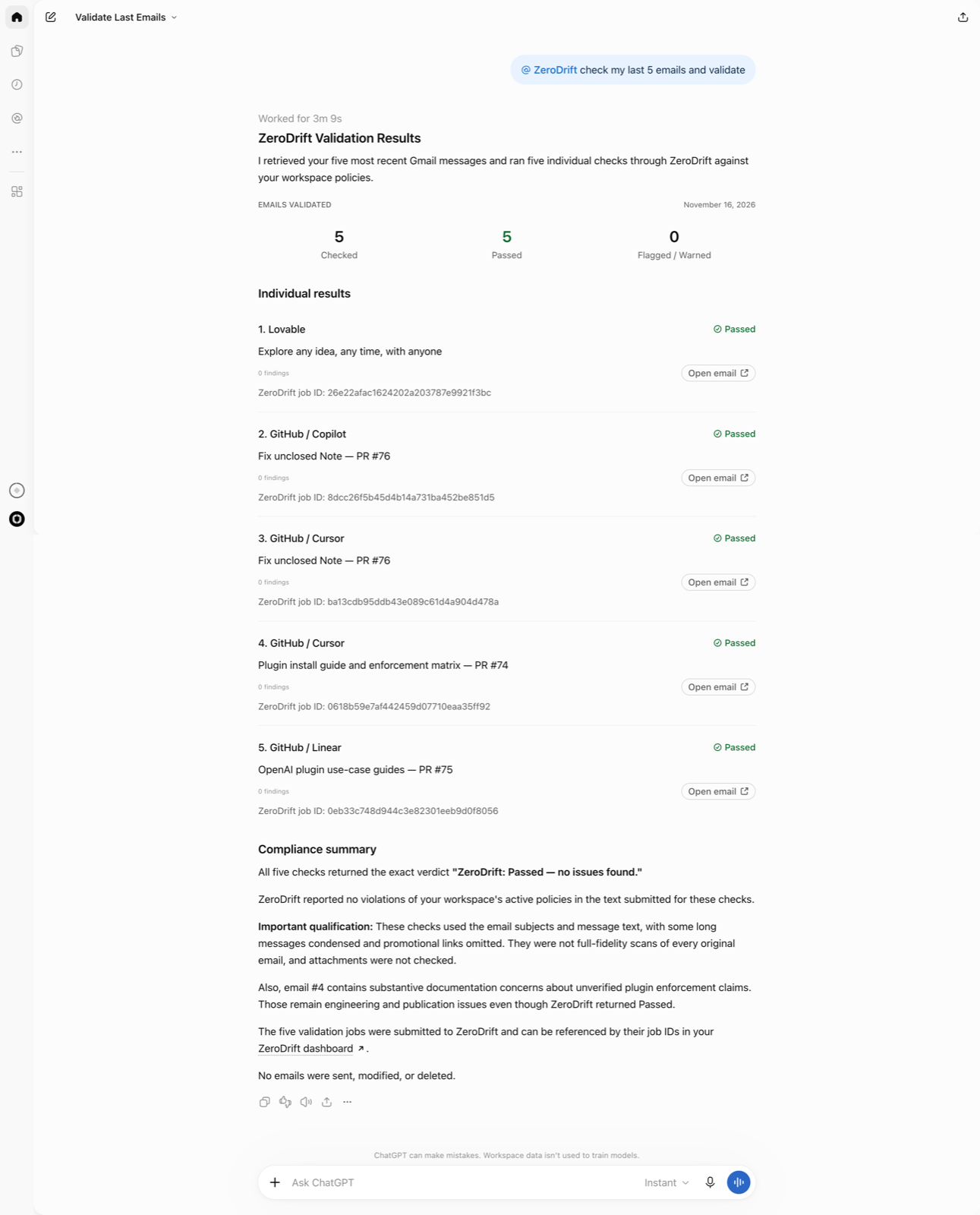
Reading a flag or a pass
- Open the flagged line. Each flag names the line, the rule and the policy.
- Do not treat a flag as final. A flag is a prompt to look, not a verdict about intent.
- Do not treat a pass as proof either. A pass means the text, as sent to ZeroDrift, passed your active rules at that time.
View the checks in Activity
Open the Activity page in ZeroDrift Command. It lists each check with its status, the rules violated, the source, the Client, and the API key. The Client column shows the connecting app, for example ChatGPT. A flagged check lists its rules, for example “Forward Looking Disclaimer Missing +12”, and Passed checks list none.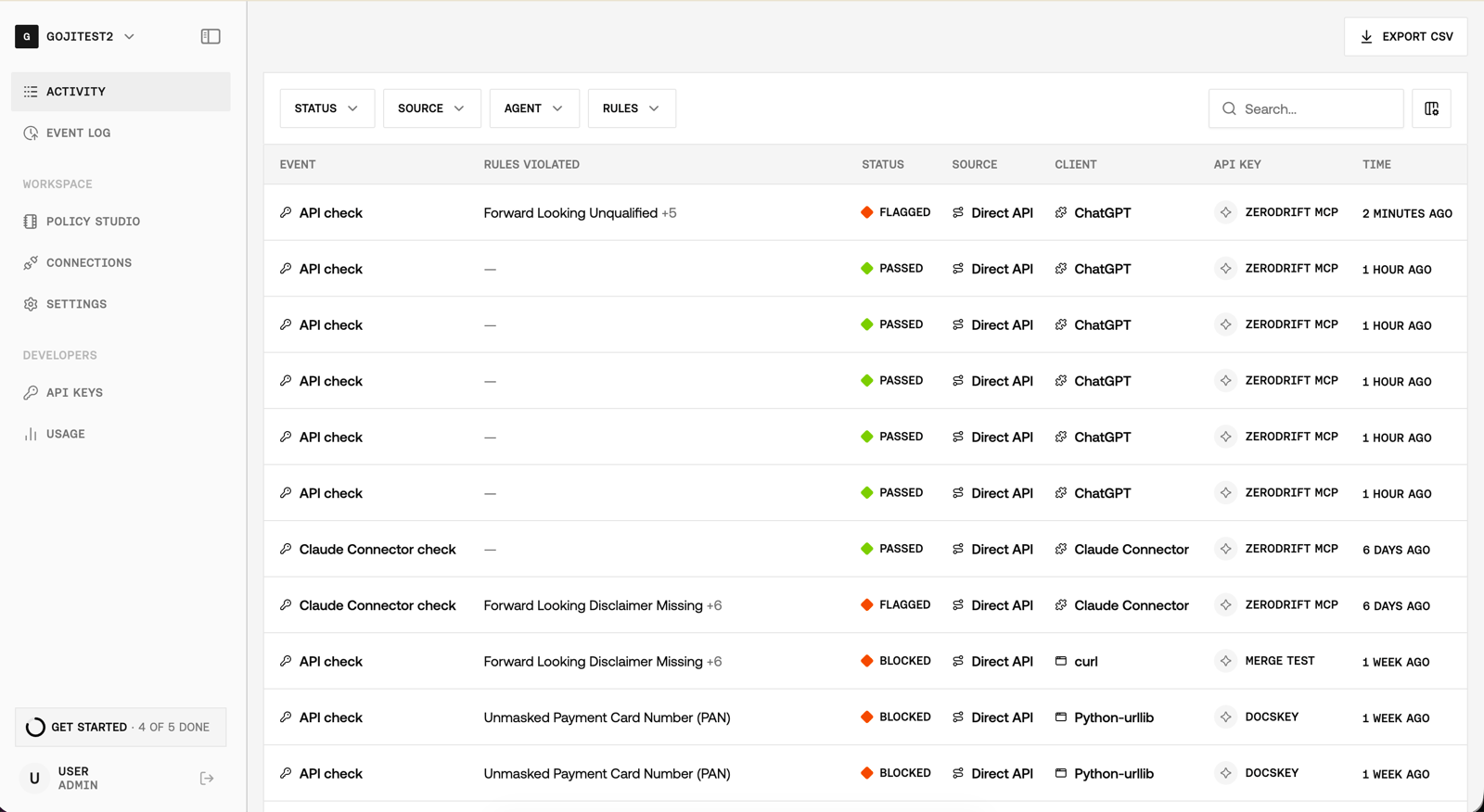
Limits
- The assistant decides what to send. If it passes only part of an email, only that part is checked.
- Attachments. ZeroDrift validates text, not files directly. To check an attachment, ask ChatGPT to extract and format its contents for validation. Only the text ChatGPT sends is checked.
- One check per email. The example above checks five emails, with one ZeroDrift check for each.
- Detection only. ZeroDrift does not rewrite the emails or change anything in the mailbox.