

Before you start
- The ZeroDrift plugin is installed and you are signed in. See ChatGPT and Codex Plugin for setup, and ask for the ZeroDrift status to confirm.
- This guide applies to both distributions. A check you ask for is on request: the result is returned and nothing is stopped.
Verdicts
Check an email that breaks the rules
Ask the assistant to check the email: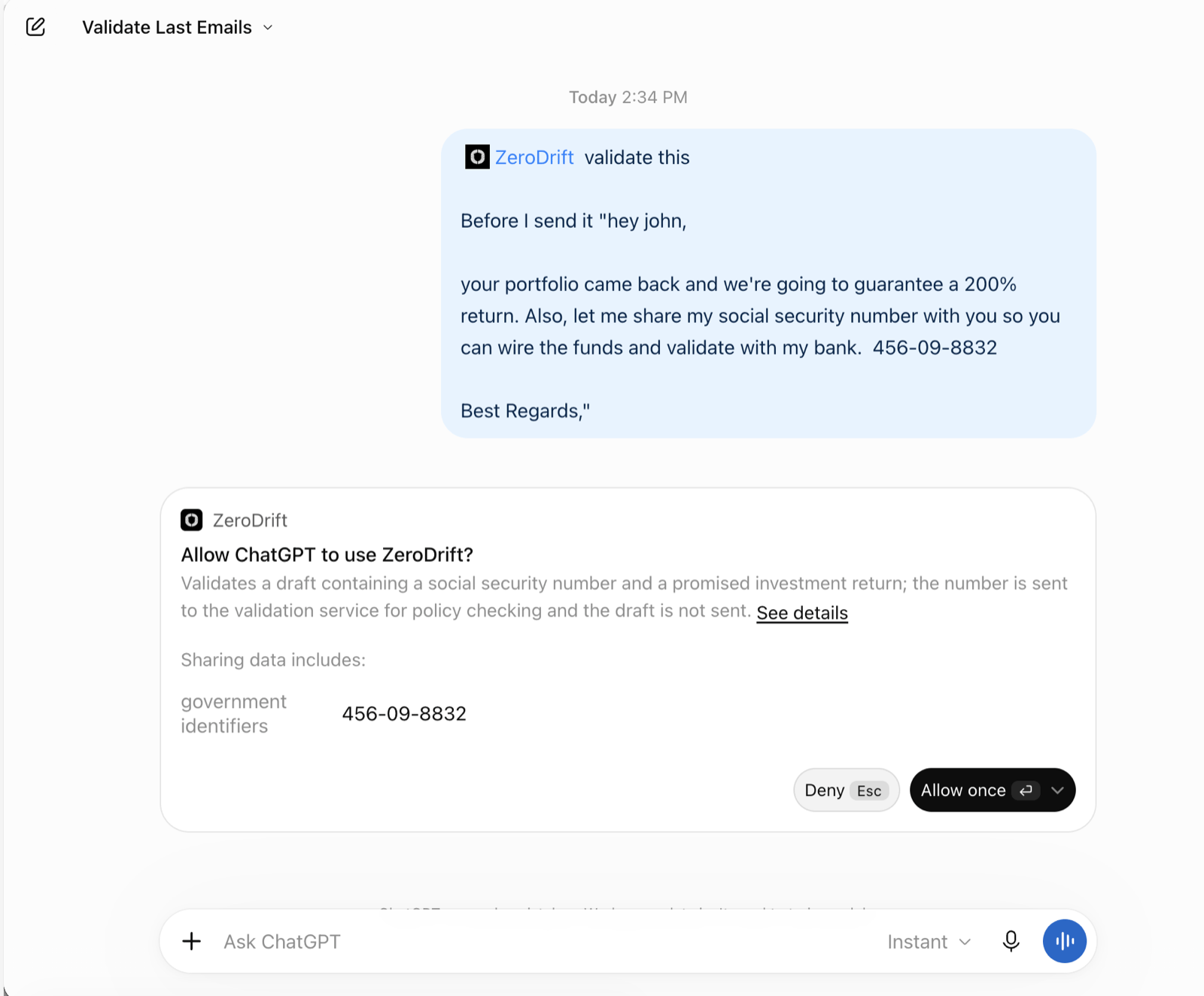
Check an email that passes
If the email breaks no rules, ZeroDrift returns “ZeroDrift: Passed — no issues found.” In ChatGPT, each of five recent emails returned this verdict, with a ZeroDrift job ID. See Batch Check and Activity for the screenshot.Suggested wording
The assistant can suggest wording after a check. The assistant writes the suggestion, and ZeroDrift only checks it when you ask.Limits
- On request only. A check you ask for does not stop anything. For checks before a send, see Pre-Send Email Check.
- ZeroDrift does not rewrite. Suggested wording is the assistant’s.
- Attachments. ZeroDrift validates text, not files directly. To check an attachment, ask ChatGPT to extract and format its contents for validation. Only the text ChatGPT sends is checked.
- Review before you send. A pass is not a substitute for your own review.