

Get started in three steps
Every result is a verdict. Pass. Fix. Block. Escalate. Enforce your first piece of content with the ZeroDrift Enforcement API.Step 1: Get your API key
Create an API key in Command
Create an API key in Command
API keys live in ZeroDrift Command. Sign in, open Settings, then under API select Keys.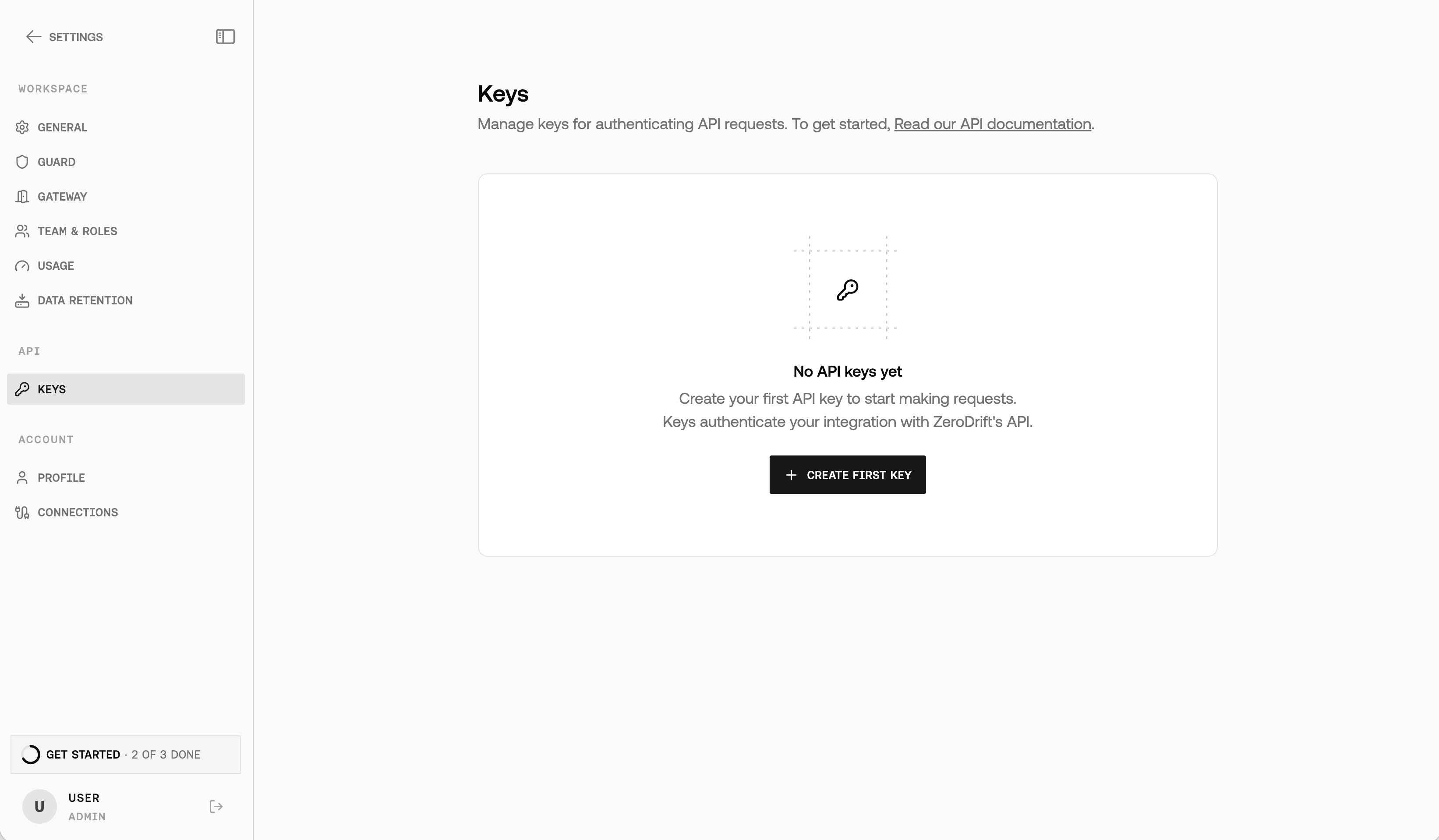
- Select Create first key (or New API key if you already have keys).
- In the Create API key dialog, enter a Key name, choose Permissions (Full access or Read only), and set Rulepacks.
- Select Create, then Copy the key immediately — Command shows the full value only once.
x-api-key header on all API requests.Step 2: Send content for enforcement
Enforce financial content
Enforce financial content
The quickest way to test the API is with a text snippet:You’ll receive a
job_id in the response:Enforce healthcare content
Enforce healthcare content
The same endpoint can enforce policies in other regulated industries:
Step 3: Get the results
Poll for results
Poll for results
Use the Poll until Read
job_id to retrieve the results:status is completed or failed. A completed response includes:result.overall_status: approved is Pass, needs_changes is Fix,
and do not send is Block. Anything you would not apply automatically,
escalate to a human. See
Get Verdict.Next steps
Explore the full API capabilities:Use Cases
What teams enforce with the API, and which guide to follow for each.
Concepts
Verdicts, rulepacks, policies, and adapters in one page.
Enforce Content
Full request and response details for the enforcement endpoint used above.
Rule Packs
Browse the managed rule pack catalog.
Train an Adapter
Import a policy, train a policy-specific adapter, and enforce against it.
SDKs
Produce a typed Python or TypeScript client from the OpenAPI spec.
MCP Connectors
Import a policy from Notion, Linear, Confluence, or Google Drive instead of uploading a file.
Need help? Contact us at support@zerodrift.ai